Coding Complex Systems in Minecraft with Python
Kris Jensen
SW Jr HIgh Options
Building on the Python programming skills they developed in Grade 7, students in our 8/9 Creative Computing course were challenged to write code that would direct their Minecraft bot to construct a building automatically. Instead of manually placing blocks, students opened the Python coding console and developed algorithms to control how their structures were built.
The challenge required students to apply programming concepts such as functions, variables, loops, and syntax. They had to consider the dimensions of their buildings, the coordinates of blocks, and the sequence of instructions needed to complete their designs. Functions helped organize and reuse sections of code, while loops allowed students to automate repetitive construction tasks without writing hundreds of individual commands.
Learning Through Debugging and Iteration
The first attempts were rarely successful. Students regularly encountered syntax errors, unexpected block placements, incorrect dimensions, and structures that looked nothing like their original plans.
Rather than deleting these mistakes, students were asked to preserve each version of their structures in their individual Minecraft worlds. As their code improved, they constructed new versions alongside their earlier attempts.
By the end of the development process, their worlds contained several iterations of the same building. Some were basic shapes, others were partially completed structures, and a few were obvious programming mistakes. Together, they provided a visual record of how students developed, tested, and debugged their code.
This was an important part of the assignment. Students needed to understand why their code wasn’t working, identify the problem, and make corrections. Sometimes that involved fixing a single character or coordinate. Other times, it required rethinking an entire section of their algorithm.
Through repeated testing, students gradually developed reliable code that could construct their intended buildings.
Building a Collaborative City
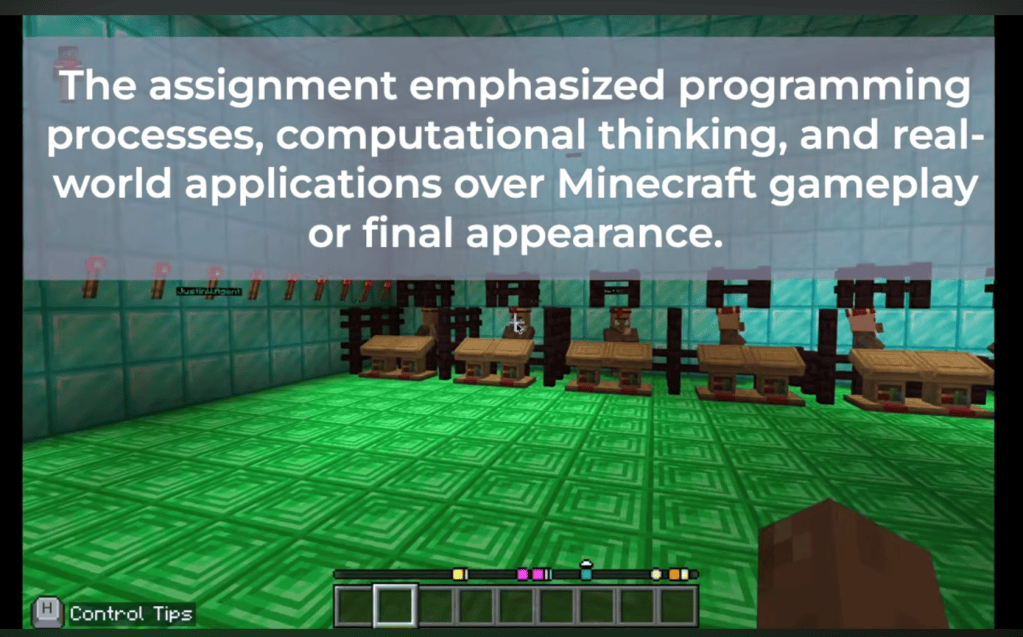
Once students had developed working programs, they moved into a shared Minecraft world to combine their individual projects into a larger city.
Each student brought their Python code into the collaborative environment and executed it to construct their building. The resulting city contained a wide variety of structures, reflecting the different levels of coding proficiency, creativity, and effort within the class.
Some students created relatively simple buildings using basic loops and functions. Others developed more complex structures with additional architectural features and more sophisticated code.
Several students went beyond the original building challenge. They wrote additional Python programs to automate the construction of roads, public transit, and other elements of city infrastructure. These additions helped connect the individual buildings and made the shared world feel more like a functioning city.
The collaborative environment also gave students an opportunity to see how their classmates approached the same programming challenge. Although everyone worked with the same coding tools and fundamental concepts, their solutions were often quite different.
Minecraft Was the Platform, Not the Lesson
Although Minecraft is generally associated with gaming, this project was a computer science assignment. Students were not assessed on their ability to play Minecraft or manually build impressive structures. The focus was on writing, understanding, testing, and improving Python code.
Minecraft provided a useful visual environment for learning programming. Students could immediately see the results of their algorithms in three dimensions. If a loop ran too many times, a wall might extend beyond its intended dimensions. If a variable contained the wrong value, an entire section of a building could appear in the wrong location.
These visible errors made debugging more concrete. Students could compare what they intended their code to do with what actually happened, then return to the console to investigate.
The project also placed greater value on the coding process than the finished product. A relatively simple building might represent considerable progress for a student learning to organize functions and loops. A more elaborate structure might demonstrate a student’s ability to combine several programming concepts into a complex algorithm.
Artificial intelligence use was limited during the project. Because students were expected to develop and test their code over several iterations, it was easier to identify code that appeared beyond their demonstrated understanding. Students needed to explain their programming decisions and demonstrate that they understood how their algorithms worked.
How Does This Connect to Real-World Programming?
The skills students practised in Minecraft are closely related to programming used in engineering, manufacturing, architecture, and robotics.
For example, a CNC machine follows programmed instructions to cut or shape materials. Industrial robots use loops, variables, and functions to repeat tasks and control movements. Architects and engineers use parametric design software to generate structures based on dimensions and other variables.
Consider a programmer creating a system to construct a wall. Rather than specifying the placement of every individual block, the programmer can create a function that accepts the wall’s height, length, and starting coordinates. Changing those variables allows the same code to construct walls of different sizes.
This is similar to how automated manufacturing systems and computational design software operate. A well-designed algorithm can be reused and adapted without starting from scratch each time.
Students also encountered a common challenge in software development: code that runs without errors does not necessarily produce the intended result. Testing, troubleshooting, and revising are essential parts of creating reliable software.
Assessing the Process, Not Just the Product
The final collaborative city was an interesting way to showcase the students’ work, but the individual development worlds provided much of the evidence of learning.
Those early structures, coding mistakes, revisions, and completed buildings helped illustrate each student’s progress. They also supported conversations about programming decisions, debugging strategies, and how students had improved their algorithms.
The assignment gave students practical experience with several foundational Python concepts:
- Functions: Organizing reusable sections of code to perform specific construction tasks.
- Variables: Controlling dimensions, coordinates, and other values within a program.
- Loops: Repeating instructions to automate the placement of blocks and construction of larger structures.
- Syntax: Writing instructions correctly so Python could interpret and execute them.
- Algorithms: Planning logical, step-by-step instructions to complete a task.
- Debugging: Identifying errors, testing changes, and improving the reliability of their programs.
The completed city showed what students could build with Python. Their earlier versions showed how they learned to do it.
For this assignment, both were important. Keeping those unsuccessful attempts visible made it possible to assess not only whether students could produce working code, but also how they developed the skills to get there.